Tunnel Blasters Unity - Game Development in Unity

Introduction
The game I developed as part of my passion project is titled "Tunnel Blasters", a 2D game inspired by the classic Bomberman. I wanted to create something I could always look back on and be proud of while also using it as an opportunity to learn and grow. That’s why I chose to develop it in Unity. With prior experience in Unity from my previous semester 4, I was confident that I could create something meaningful and achieve my learning outcomes, even with the limited time I had.
Process
Before starting development on this game, I created a project plan and a requirement list to determine what was possible to achieve within the 3 weeks I had for this passion project. Once I gathered feedback and finalized my plan, I was ready to begin development. I explored YouTube tutorials to help me implement the features I wanted for the game. Since my game is inspired by Bomberman, many of the features in that game closely aligned with what I needed for mine.
I also searched for sprites to use in the game. During this process, I came across websites like Sprite Database and The Spriters Resource, both of which offer open-source assets such as sprites, skins, UI/HUD elements, animations, music, and sound effects. These resources were free to use, provided they were used for personal projects. I downloaded some of the existing Bomberman sprites and imported them into my Unity project as placeholders. Later, I designed my own sprite models to replace these. You can find more details about this in the appendices.
Setup
I created a directory as the development environment for my Unity project and named it after my game, Tunnel Blasters. Once the directory was set up, I uploaded the files to a GitLab repository to manage the application and handle version control. I also added a README file containing important information and project documentation related to the game. This included an overview of the features I implemented, as well as details about the features I planned to add. Additionally, I included instructions on how to run the game on another PC for anyone interested in trying it out.
Features
To develop my game to a playable state, the following features were added and implemented by me to Tunnelblasters:
• Fully animated sprites
• Bomb placement
• Various Powerup upgrades with unique abilities
• Player Vs. Player (with seperate movement controls)
• A win lose/state for the last man standing mode
• 2D retro pixelated graphics
Explanation code snippets features
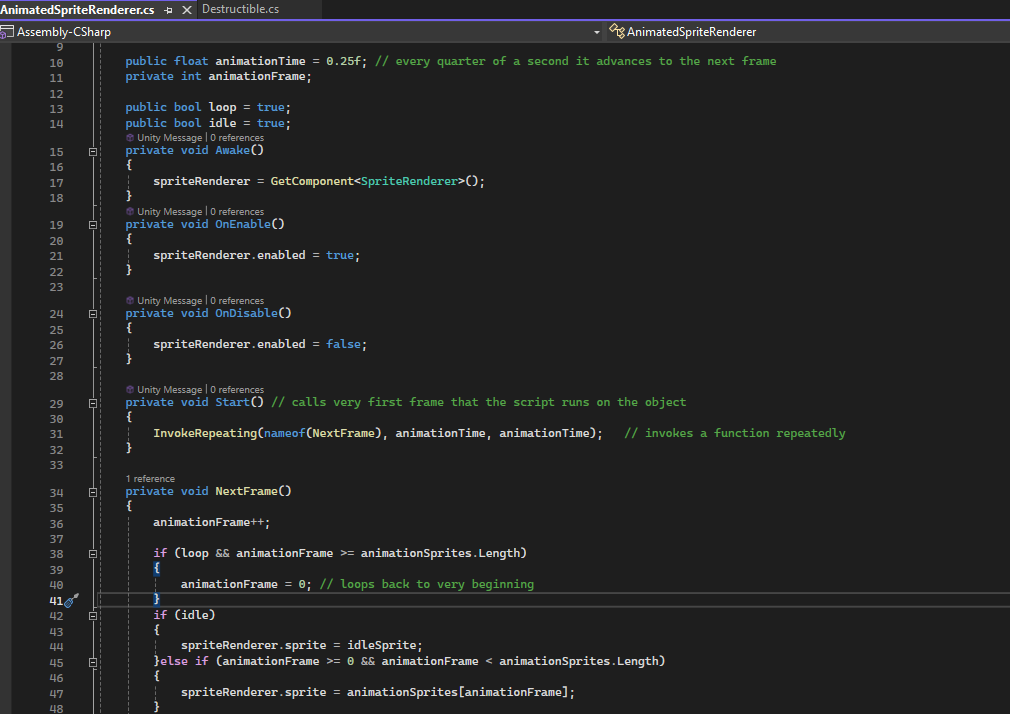
AnimatedSpriteRenderer.cs
This function controls an animated sprite using a SpriteRenderer. It has an idle sprite and an array of animation frames, which allows the sprite to change over time. The animation is managed by a timer, and the frames update at a specified interval. The animation can either loop or stay on the idle sprite if the idle flag is set to true. The script automatically switches between the idle sprite and the animation frames, depending on the frame count and whether the loop setting is enabled.
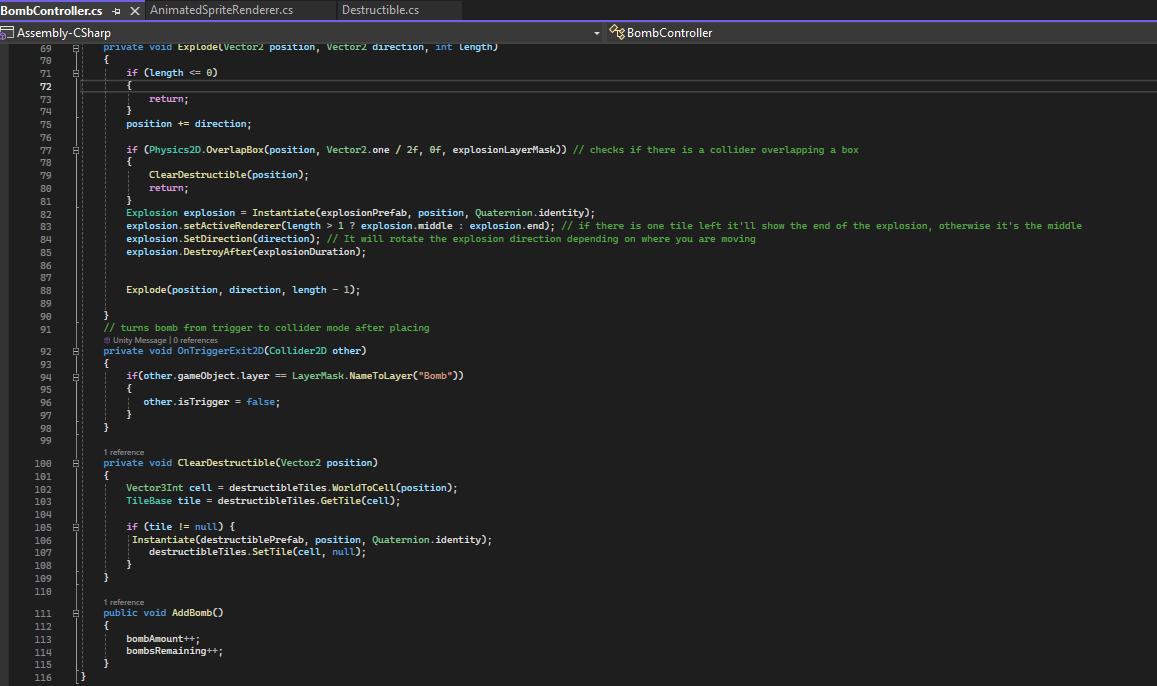
BombController.cs
This function controls the bomb's behavior in the game, including placement, explosion, and interaction with destructible tiles. When the player presses a key, a bomb is placed and explodes after a set time. The explosion spreads in all directions and destroys destructible tiles using a tilemap. A custom explosion object is instantiated at each explosion position. The bomb count can be increased with AddBomb method.
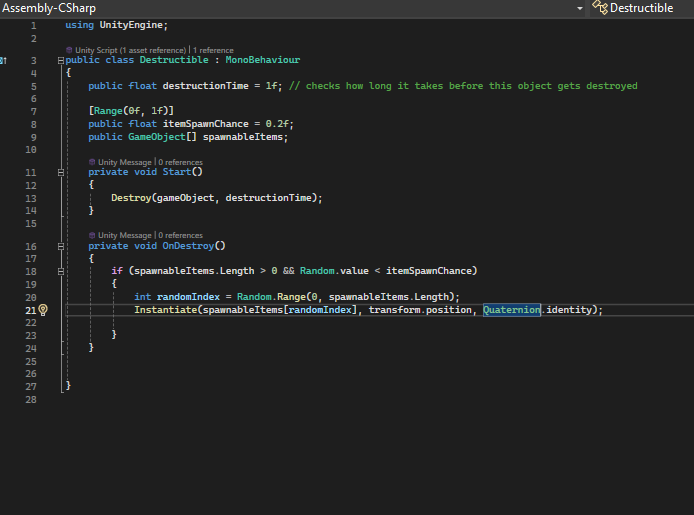
Destructible.cs
This function handles destructible objects like the bricks. When a destructible object is destroyed, it has a chance to spawn an item at its location. If item spawning is enabled, it randomly selects an item and instantiates it at the object's position. The object is automatically destroyed when the Start method is called.
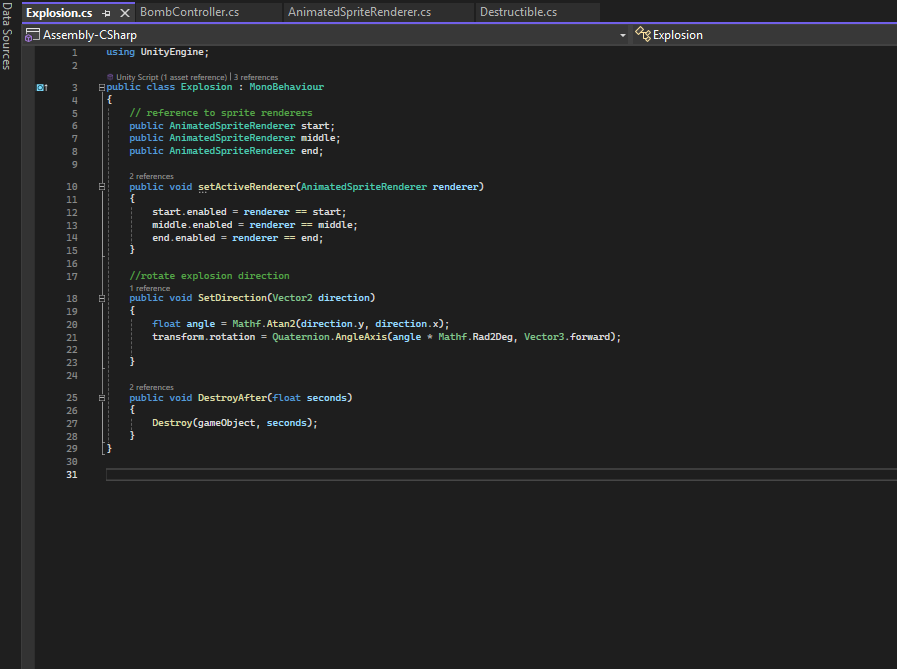
Explosion.cs
This function an explosion using three objects: start, middle, and end, for different animation stages. The setActiveRenderer method switches between these stages, while SetDirection rotates the explosion using Quaternion.AngleAxis. The DestroyAfter method destroys the explosion after a set time.
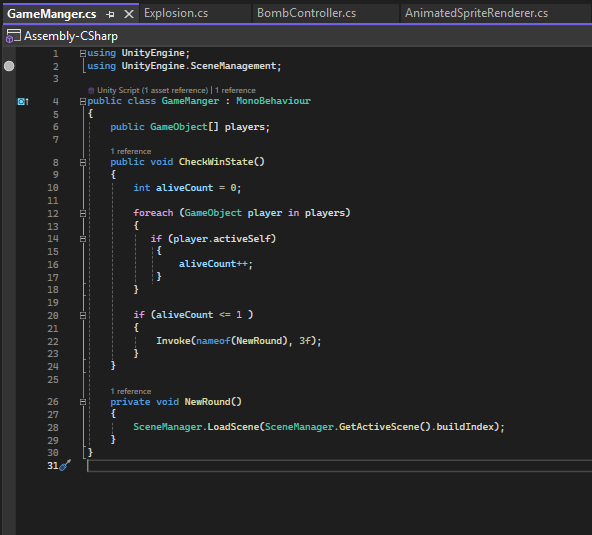
GameManager.cs
This script function manages the gamestate. It checks if there’s one or fewer active players left using the CheckWinState method, counting how many players are still active. If only one or no players remain, it triggers a new round by invoking the NewRound method after a 3-second delay. The NewRound method reloads the current scene using SceneManager.LoadScene and restarts the game.
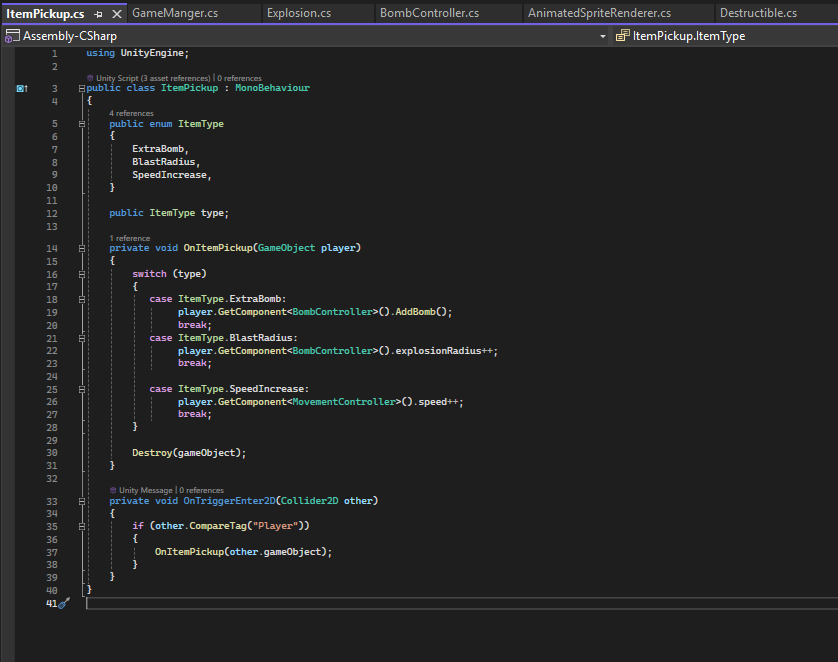
ItemPickup.cs
This function handles the item powerups. The ItemPickup class defines item types (ExtraBomb, BlastRadius, SpeedIncrease) with an enum. When a player collides with an powerup, the OnItemPickup method applies the corresponding effect like adding a bomb, increasing blast radius or boosting player speed.
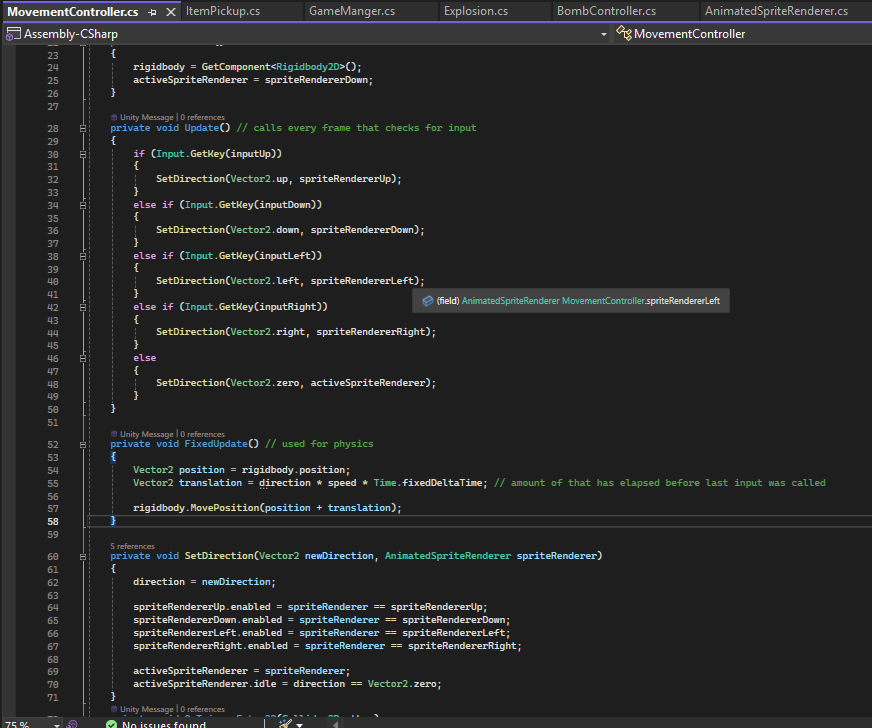
MovementController.cs
This manages player movement, animation, and death functionalities. The MovementController moves the player based on key inputs and updates the sprite renderer for direction or idle state. movement is applied using the player’s speed. On explosion collision the DeathSequence method disables controls, plays a death animation and deactivates the player.
More on this can be read in my Gitlab repository, the links are in the appendencis.
Outcome
I’ve usertested the game during a playtest at school with experts and students. More on this can be read in the appendices. I’ve recorded some gameplays during the playtest when they were testing my game, below you can see how the game looks in its current playable state.
Playtested by ICT & Mediadesign Students
Playtested by ICT & Mediadesign Teachers Medhat and Maikal
Reflection
Developing this game was an great experience and journey for me. Even though I only had 3 weeks, it was enough to bring the game to its current playable state. That said, I feel that with just one more week, I could have achieved even more and implemented some of the feedback I received during user testing. The most important thing for me was how much I learned during this process. I’m also motivated to keep working on this project even after the passion project is complete.